Q: How do I register for a SCAUG event?
A: Event registration consists of four (4) basic steps:
- Step 1 - Email entry
- Step 2 - Selection of registration type which defines basic event price (which can be free)
- Step 3 - Filling out event registration form (including options which change the total registration fee)
- Step 4 - Final review and payment processing
Step 1 - Email entry
User is asked to provide an email.
When the user enters his email and clicks on [Next] button the email is verified against the Contact database.
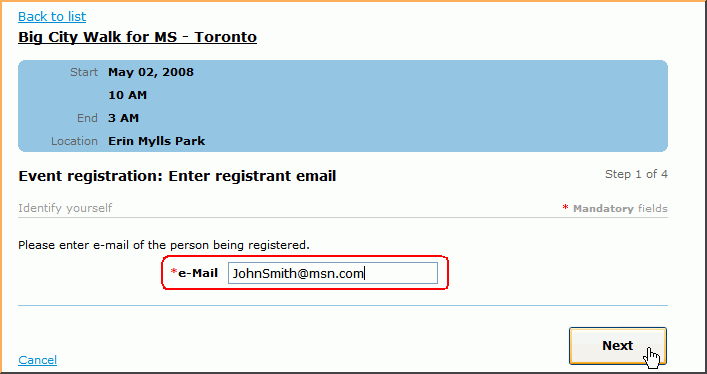
- If the email is found in database and it matches a contact which is not a member, the application will proceed normally. Contact card fields filled out on the event registration form are stored in each event registration and do not affect the original contact card if it already existed. For example, you might have a contact card originally created under 'Jim Black' and have two event registrations attached to it under 'Jim C. Black' and 'James Black'.
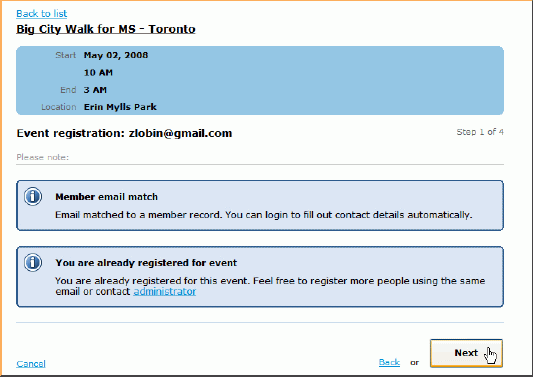
- If the email is found in database and they are a member, the user will see "Member email match" message. Also the member may have more options to choose from the Registration types (in Step 2 of 4).
-
- Note: when a logged-in member registers for an event, his basic contact information is pre-filled automatically from the member's profile. However, if the system has determined membership status by email, information can not be pre-filled for security reasons (since someone else might enter member email and system should not disclose member contact information in this case)
- If the user already registered for the event he will see "You are already registered for event" message.
- If the email is not found user will be taken to Step 2 automatically. If email is found user will have to review the message(s) and proceed to Step 2 by clicking on [Next] button one more time. Completing the registration will create a new contact card for the registrant.[Next] button one more time.
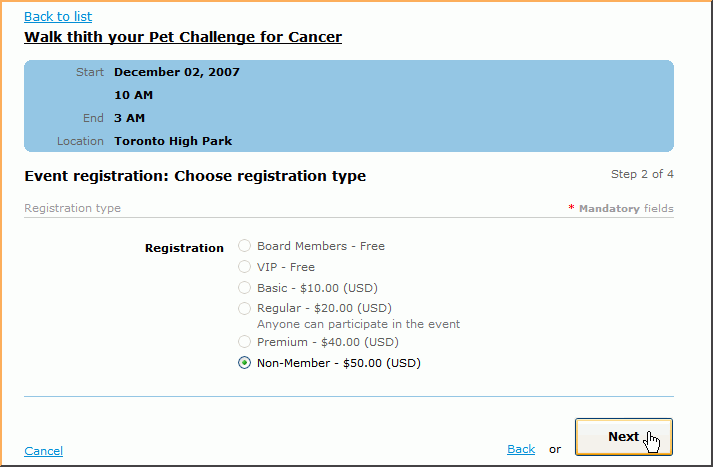
Step 2 - select registration type.
This step can have one or many registration types available to the user. Different registration types with different prices may be available to the public user and to the member. User will make a selection and click on [Next] button to proceed to Step 3.
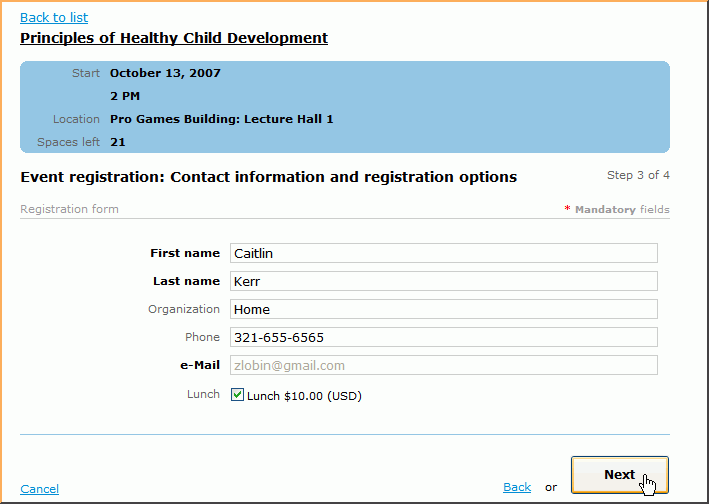
Step 3 - fill out registration form
User is asked to fill out registration form including any additional costs that may be associated with the event.
Click [Next] button to continue to Step 4.
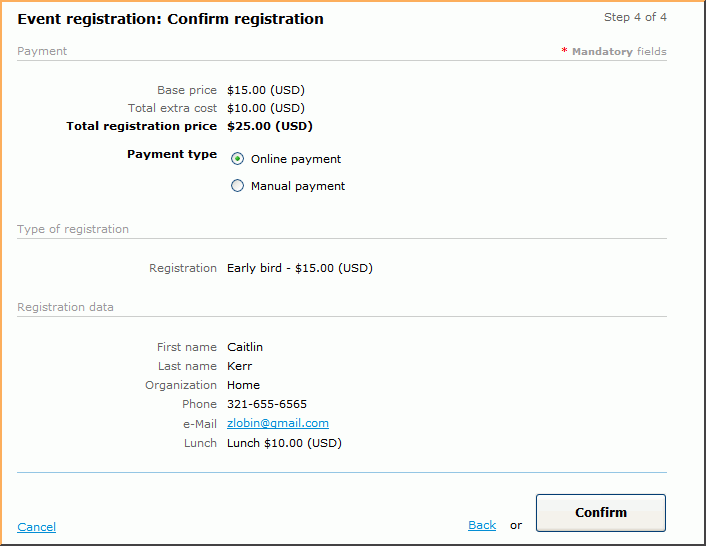
Step 4 - review and confirm registration details
User is asked to review the event registration information, submit the registration and pay for the registration if required.
User may also select online or manual payment option as set up for your website:
If user chooses online payment and clicks on [Confirm] button he will be transferred to PayPal to process the payment.
Or if the manual payment is selected user will get a payment confirmation with the payment instructions.
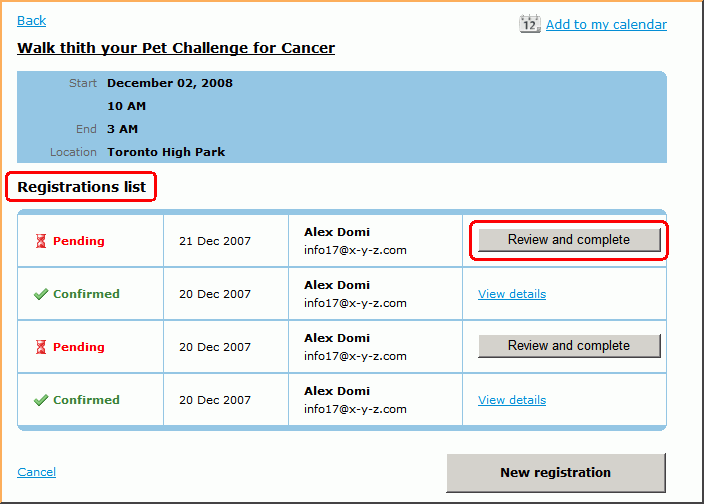
If the logged in member needs to register somebody else he may do so. All previous registrations for the event will be listed in Registration list
South Central Arc Users Group P.O. Box 96 Ardmore, OK 73402 |